OpenAI(GPT 系列)
目标
- 完成 OpenAI 服务开通
- 获取调用大模型服务的 API Key
| 项目 | 信息 |
|---|---|
| 官网 | https://platform.openai.com/ |
| 文档 | https://platform.openai.com/docs/api-reference |
| Base URL | https://api.openai.com/v1 |
| 代表模型 | gpt-4o、gpt-4o-mini、o1、o3 |
| 备注 | 需海外手机号/信用卡,国内使用需网络代理 |
操作步骤
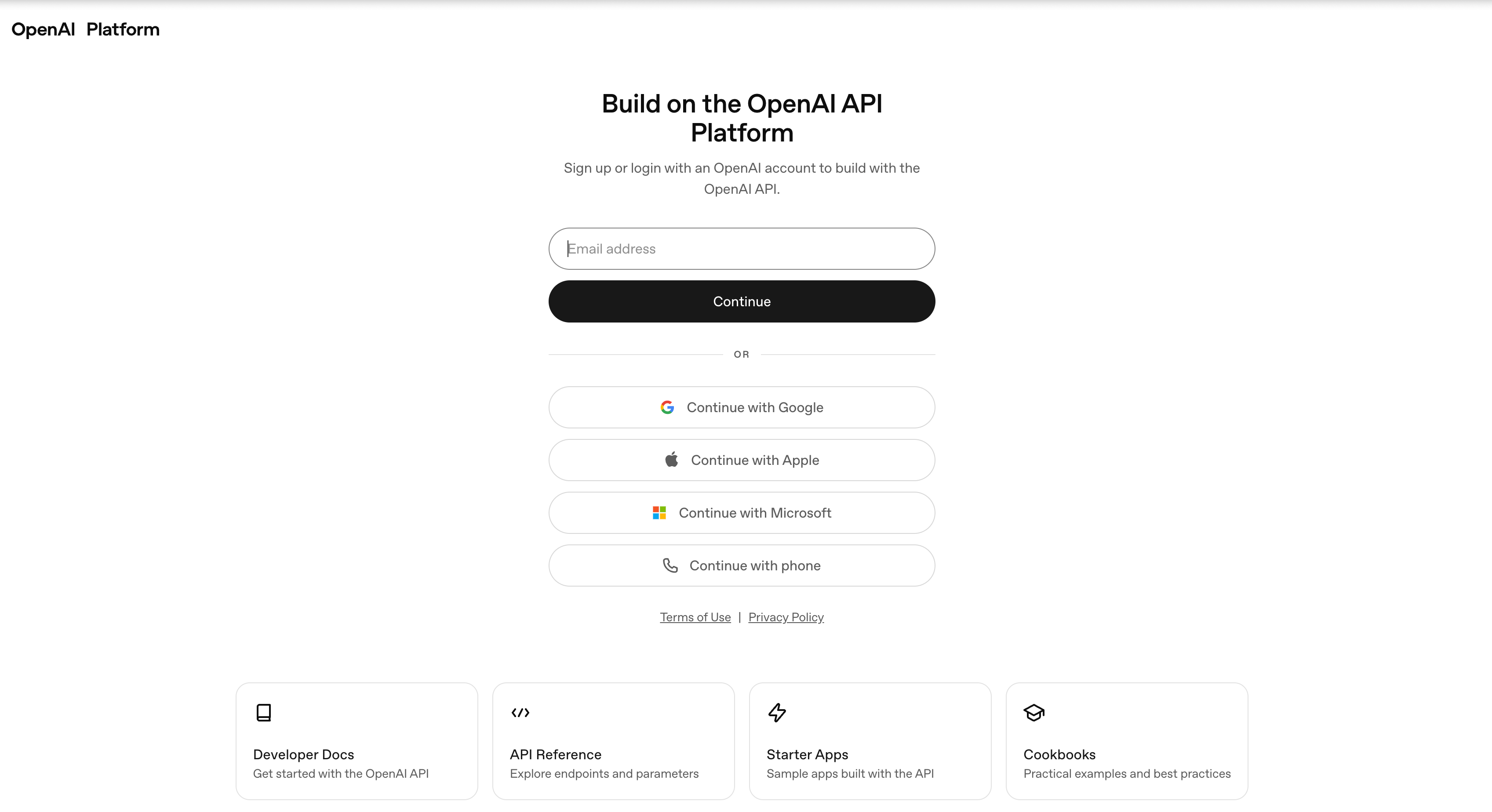
1. 注册账号
- 访问 OpenAI Platform
- 使用邮箱 + 海外手机号注册(可用 Google / Microsoft / Apple 账号登录)
📸 OpenAI 平台登录/注册页面
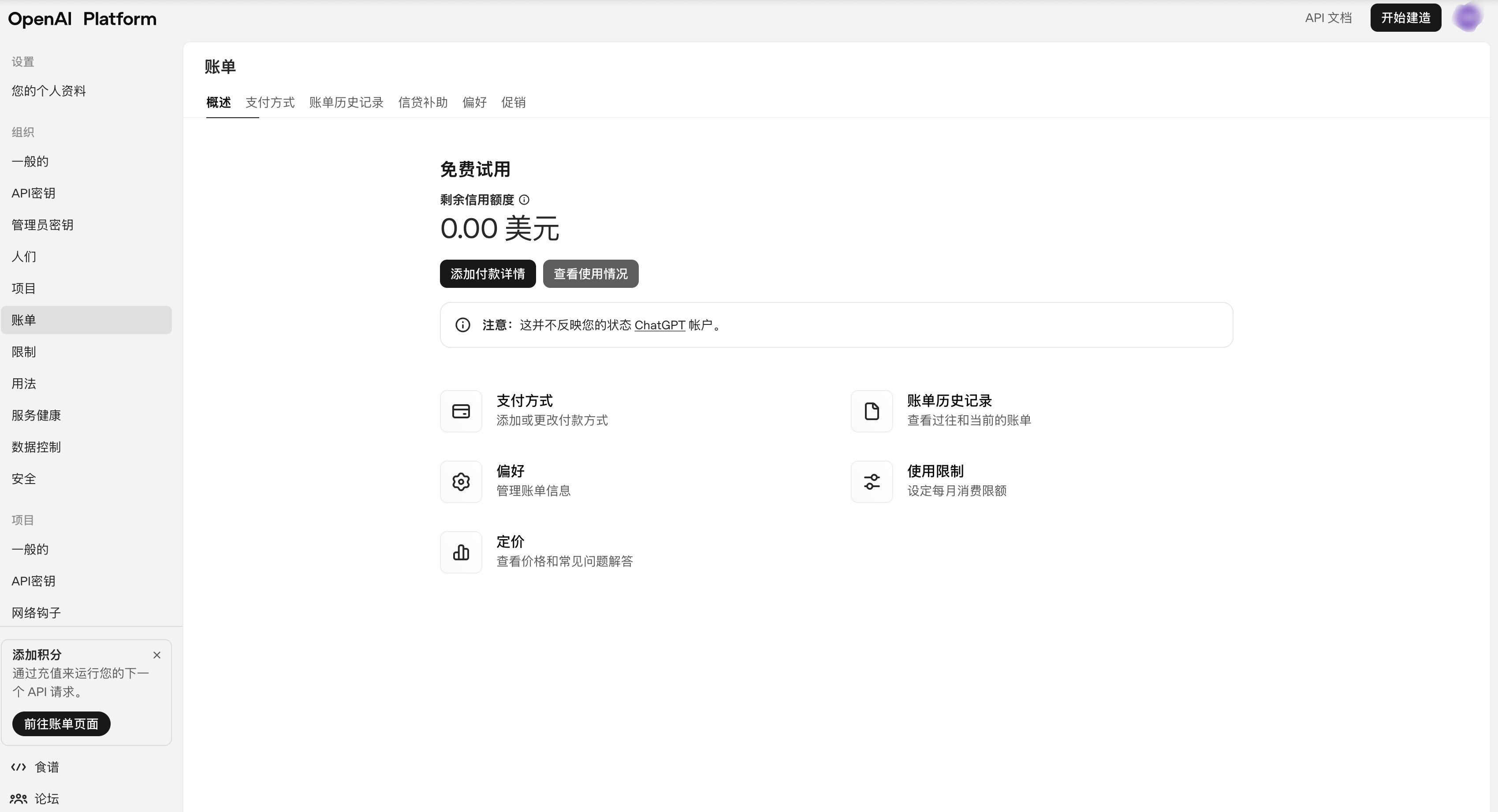
2. 绑定付款方式
- 进入 Billing 页面
- 绑定海外信用卡(Visa / Mastercard)
📸 Billing 绑卡页面
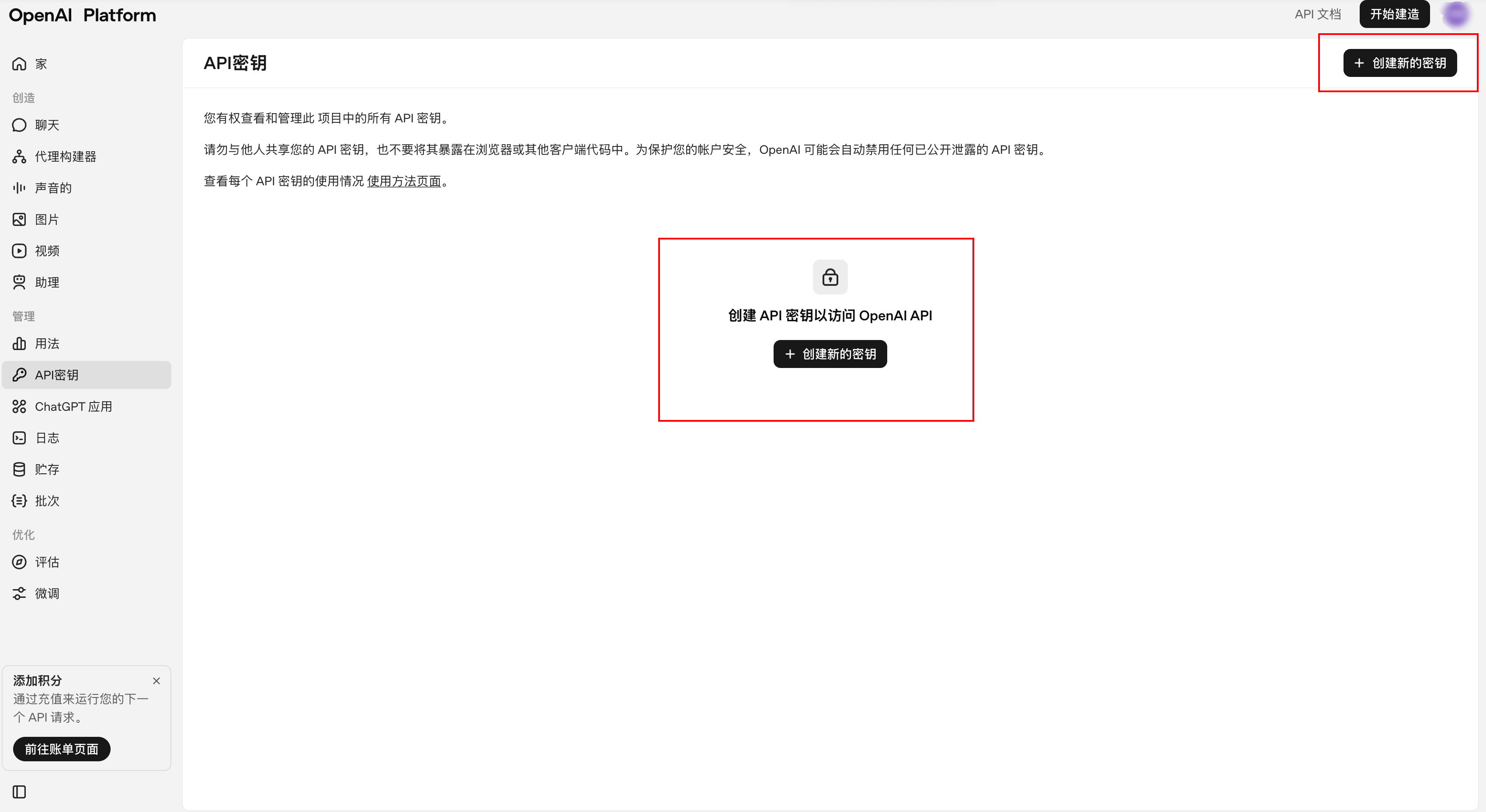
3. 获取 API Key
- 进入 API Keys 页面
- 点击「Create new secret key」
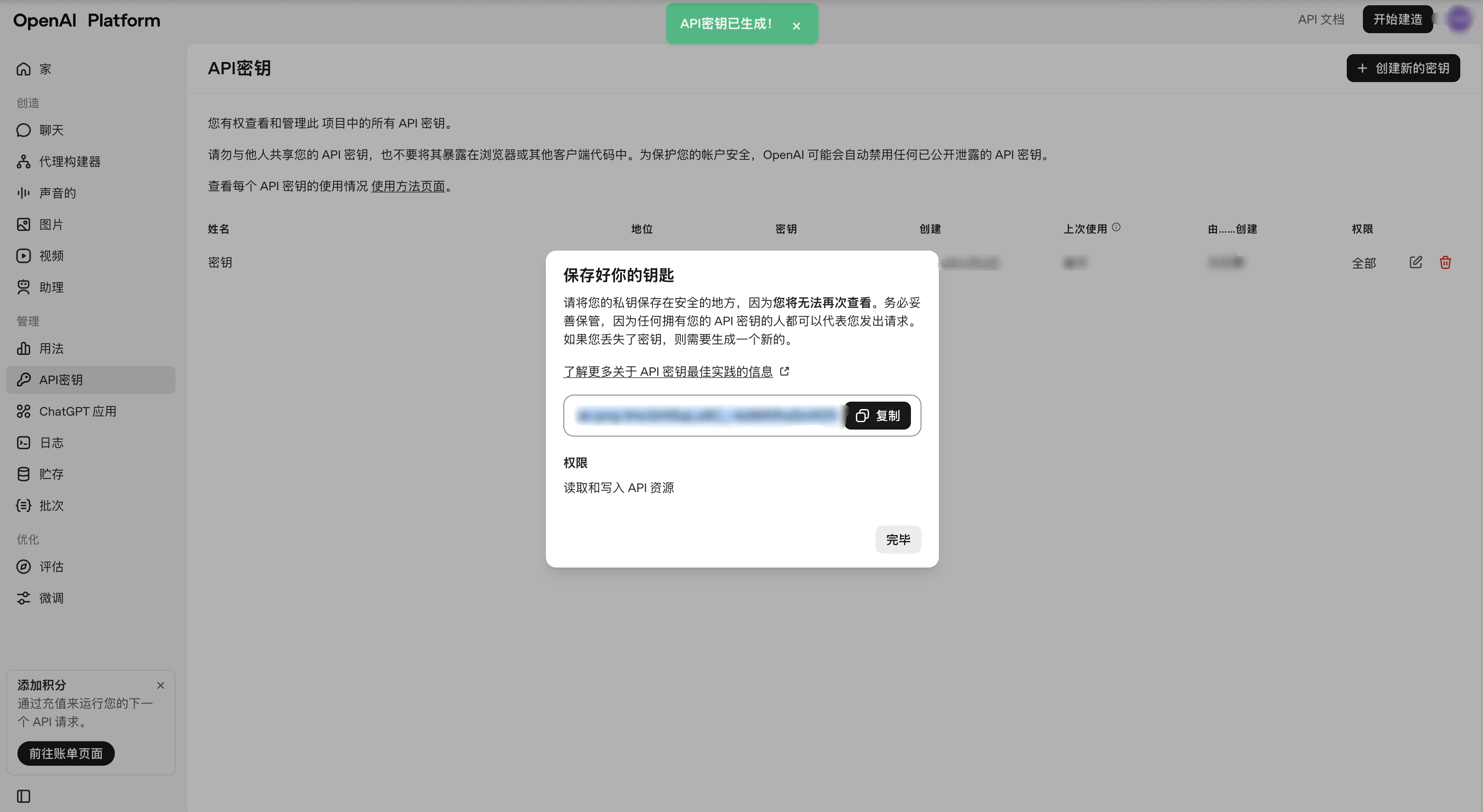
- 复制并保存(格式
sk-xxxxxxxxxxxxxxxx)
📸 API Keys 页面,标注「Create new secret key」按钮
📸 创建成功弹窗(注意遮挡敏感部分)
4. 验证调用
curl https://api.openai.com/v1/chat/completions \
  -H "Content-Type: application/json" \
  -H "Authorization: Bearer YOUR_API_KEY" \
  -d '{
    "model": "gpt-4o",
    "messages": [
      {"role": "user", "content": "Hello!"}
    ]
  }'